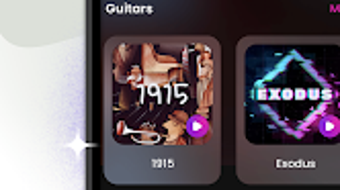

Download DJ Launchpad Beat Maker – music creation, beat making, drum pad, DJ software, music production, electronic music
Overview
DJ Launchpad Beat Maker is a desktop application designed for individuals interested in music creation, particularly those exploring beat-making and electronic music production. The software targets aspiring DJs, music hobbyists, and beginners seeking an accessible platform to experiment with rhythm and sound. With a focus on simplicity and immediate usability, the app provides a 24-pad drum interface that enables users to trigger and layer sounds intuitively.
It supports multiple music genres, including dubstep, rap, EDM, and hip-hop, making it adaptable for diverse creative needs. The app allows users to record audio directly within the interface, facilitating real-time composition and experimentation. Designed for both Windows and Mac, DJ Launchpad Beat Maker serves as a portable music studio, empowering users to craft beats, melodies, and rhythms on the go.
Its core purpose is to lower the barrier to entry for music production by combining visual feedback with responsive sound triggering. The developer did not provide additional background details beyond the software’s functionality.
Key Features & Capabilities
- 24-Pad Drum Interface: Offers a tactile, grid-based layout for triggering drum hits and sound samples with precision. Each pad can be assigned to different percussion or melodic elements, enabling layered beat construction.
- Genre-Adaptive Sound Library: Includes preloaded samples optimized for popular music styles such as dubstep, rap, EDM, and hip-hop, allowing users to create genre-specific tracks with minimal setup.
- Real-Time Recording: Enables users to record their sequences and performances directly within the application, preserving the spontaneity of creative expression.
- Audio Sharing Integration: Supports exporting compositions in common formats, allowing users to share their music with others through social platforms or collaborative tools.
- Portable Music Studio: Functions as a lightweight desktop tool that can be used anywhere, ideal for on-the-go inspiration and quick idea capture.
These features collectively support a streamlined workflow for music creation, from initial idea generation to final output. For example, a beginner might use the preloaded EDM samples to build a basic drop, while a more experienced user could layer custom loops and adjust timing for a polished track. The app’s emphasis on immediate feedback and intuitive controls makes it suitable for both learning and performance scenarios.
User Interface, Workflow & Performance
The user interface of DJ Launchpad Beat Maker centers around a visually clear, grid-based layout with 24 interactive pads arranged in a symmetrical pattern. Navigation is straightforward, relying on mouse or keyboard input to trigger sounds and manage settings. The layout prioritizes accessibility, with minimal clutter and clearly labeled controls.
Workflow efficiency is enhanced by the direct mapping between visual pads and audio output, reducing the learning curve for new users. The software allows for real-time adjustments to volume, pitch, and timing, enabling dynamic performance control. However, exact performance details were not specified by the developer.
General observations suggest stable operation under typical desktop conditions, though resource usage such as CPU or RAM consumption was not documented. The developer did not specify whether background processes or system-level optimizations are implemented. Stability during extended use remains unverified due to limited public performance data.
Compatibility & System Requirements
DJ Launchpad Beat Maker is available for both Windows and Mac operating systems, making it accessible to a broad user base across desktop platforms. The software version and installation size were not publicly disclosed. The developer did not provide detailed system requirements, including minimum processor speed, RAM, or storage space.
Compatibility information is limited to the operating systems listed. Users should ensure their system meets general standards for running modern desktop applications. Exact hardware requirements were not specified, so users are advised to check for updates or official documentation if installation issues arise.
Platform-specific support for newer OS versions or legacy systems was not mentioned.
Pros and Cons
Pros
- Intuitive 24-pad interface ideal for beginners and intermediate users
- Supports multiple music genres with genre-optimized sound samples
- Real-time recording and playback functionality
- Portable design enables music creation on the go
- Available on both Windows and Mac platforms
Cons
- System requirements not clearly defined
- No information on file formats for exported projects
- Performance and resource usage details were not provided
- Limited documentation on advanced editing features
- Developer background and support channels not disclosed
FAQ Section
Is DJ Launchpad Beat Maker compatible with Windows and Mac?
Yes, the software is available for both Windows and Mac operating systems, allowing users on either platform to access its features.
Can I use DJ Launchpad Beat Maker offline?
Yes, the application functions as a standalone desktop tool and does not require an internet connection to create or play beats.
What file formats are supported for exporting music?
The available export formats were not specified in the provided information. Users may need to consult the official documentation or app settings for details.
Is there a free version of DJ Launchpad Beat Maker?
The pricing structure was not disclosed. Users should refer to the official website or installer for information on licensing and pricing options.
How often are updates released for DJ Launchpad Beat Maker?
Update frequency was not provided. Users are advised to check the official site or in-app notifications for release schedules.
Final Thoughts + CTA
DJ Launchpad Beat Maker presents a compelling entry point into music production for individuals with little to no formal training. Its intuitive interface, genre-specific sound library, and real-time recording capabilities make it a practical tool for creative experimentation. While detailed technical specifications and system requirements are lacking, the software’s cross-platform availability and focus on immediate usability offer strong value for beginners and casual creators.
The absence of in-depth documentation and performance metrics may limit advanced users, but for those seeking a lightweight, portable beat-making experience, it delivers on its core promise. Overall, DJ Launchpad Beat Maker stands out as a secure, accessible desktop application for music lovers who want to make beats anytime, anywhere. Download DJ Launchpad Beat Maker now.







